Business creation #
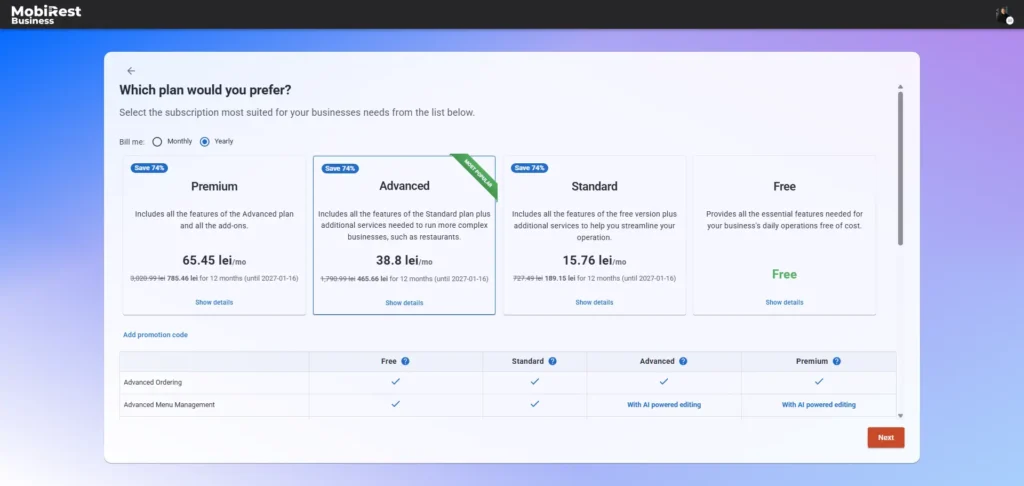
During business creation, you can choose the subscription plan that best fits your needs. You may also use the system completely free without a subscription; however, we strongly recommend selecting a plan to access the features that matter most to your business.
The system offers three subscription plans: Standard, Advanced, and Premium, each providing a different set of features. You can choose between a monthly or yearly subscription. The yearly option offers a lower overall cost and is the more affordable choice.
If you have a promotion code, you can apply it here.
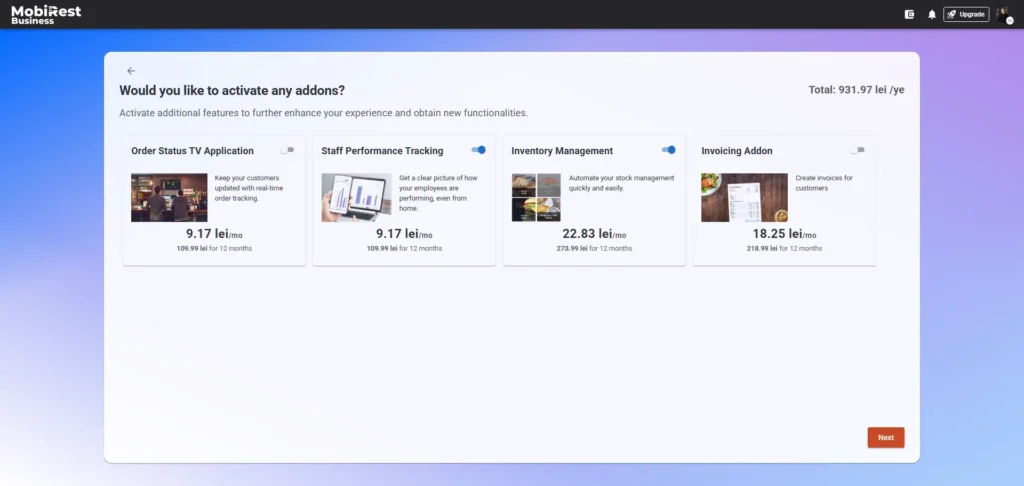
In addition to subscriptions, you can select optional add-ons. Each add-on unlocks a specific feature, allowing you to customize the system to suit your business requirements.
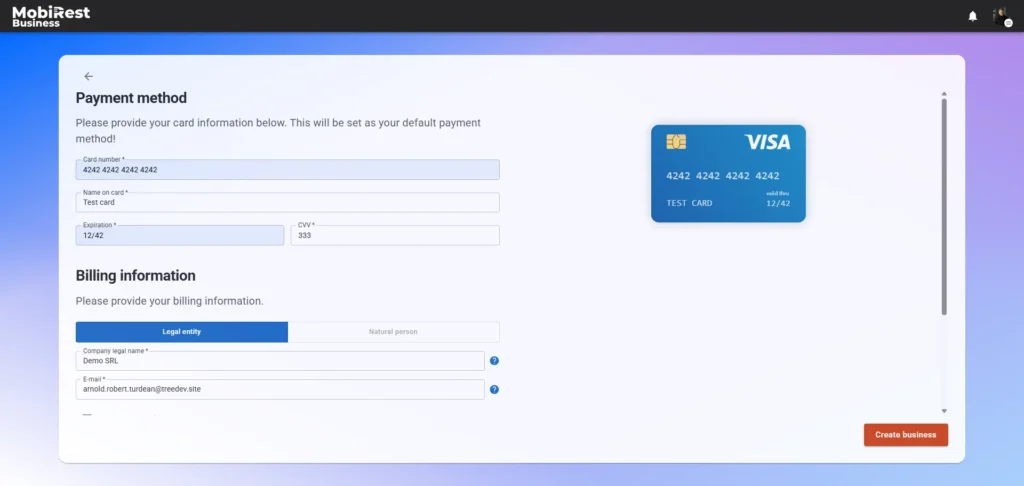
Once you’ve selected your preferred plan and add-ons, please provide your payment method and billing information. You are responsible for ensuring all billing details are correct.
Note: If you select the free plan, you won’t need to provide any payment method or billing information.
Manage your subscription #
You can manage your business’s subscription on the Subscription & Billing page: https://admin.mobirest.business/en/subscription.
Note: To access this page, you must log in as a business administrator, either using your email and password or via social authentication.
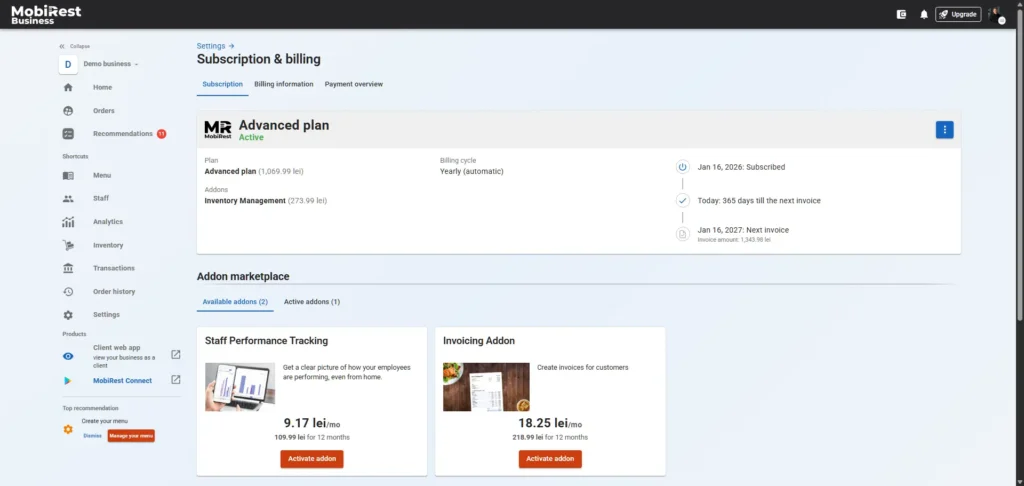
On the subscription card, you can view your active plan, any existing promotions, your billing cycle, and a timeline of subscription-related events. From the More Options menu, you can also change your plan, apply a promotion code, or cancel your subscription.
In the Addon Marketplace section, you can activate new add-ons or deactivate the ones you’ve already enabled.
Billing information #
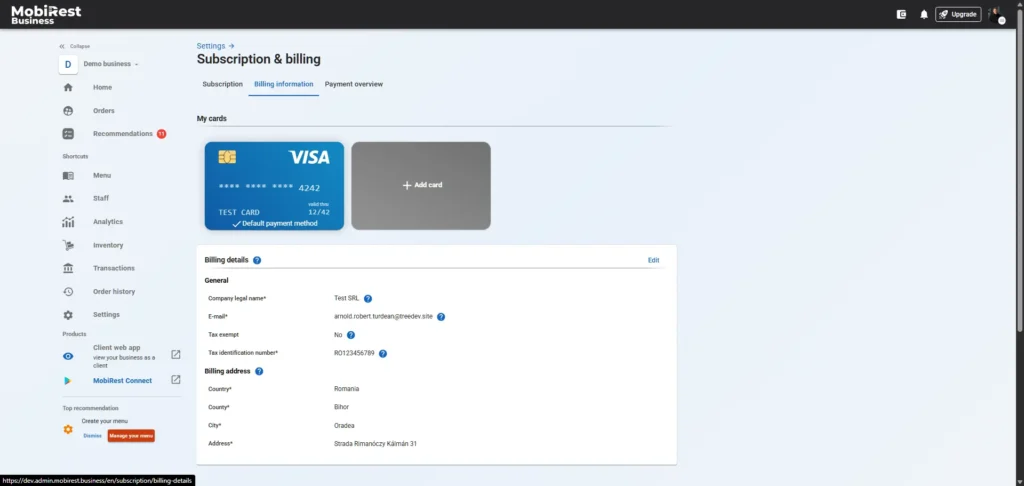
On the Billing Information (https://admin.mobirest.business/en/subscription/billing-details) page, you can manage your payment methods and billing details.
Here, you can add a new payment method, set any existing payment method as your default, or remove payment methods already linked to your business.
Payment overview #
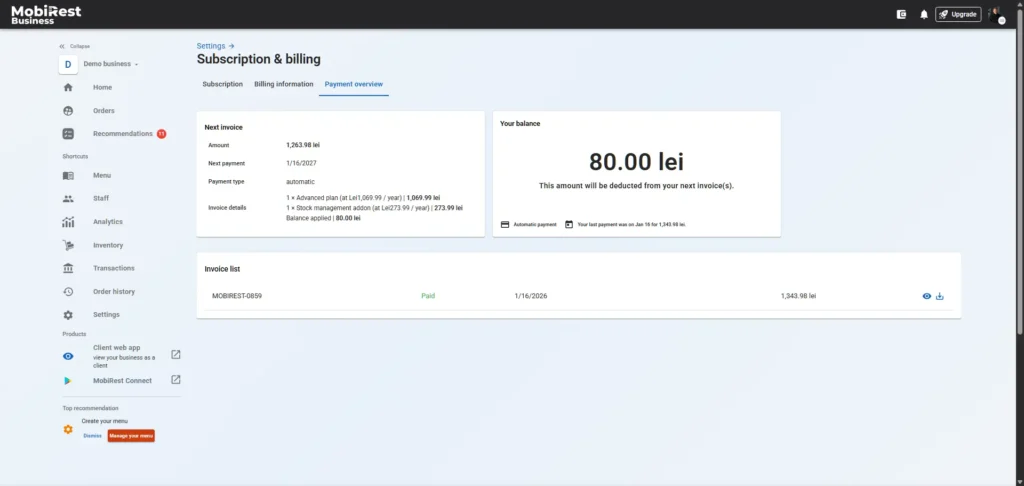
On the Payment Overview page (https://admin.mobirest.business/en/subscription/payment-overview), you can view a summary of your upcoming invoice, your balance and a list of past invoices. You can also review previous payments and download the corresponding invoices.